Operations parameters
Related to the OpenAPI schema
The following parameters interact with the way the OpenAPI schema (and documentation) is generated.
The tags argument
You can use the tags argument (list[str]) to group API operations.
@api.get("/hello/")
def hello(request, name: str):
    return {"hello": name}


@api.post("/orders/", tags=["orders"])
def create_order(request, order: Order):
    return {"success": True}
Tagged operations may be handled differently by various tools and libraries. For example, Swagger UI uses tags to group the displayed operations.
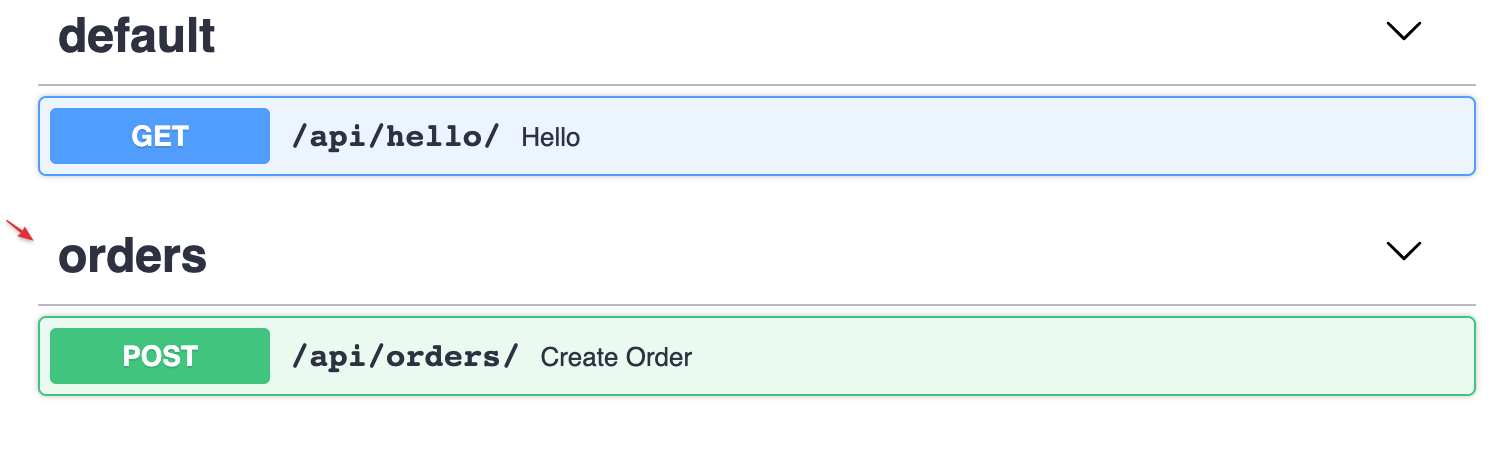
Router tags
You can use the tags argument to apply tags to all operations declared in a router:
api.add_router("/events/", events_router, tags=["events"])

# or using constructor:

router = Router(tags=["events"])
The summary argument
A human-readable name for your operation.
By default, it is generated by capitalizing your operation's function name:
@api.get("/hello/")
def hello(request, name: str):
    return {"hello": name}

If you want to override it or translate it to another language, you can use the summary argument in the api decorator.
@api.get("/hello/", summary="Say Hello")
def hello(request, name: str):
    return {"hello": name}

The description argument
To provide more information about your operation, you can use the description argument or a plain Python docstring:
@api.post("/orders/", description="Creates an order and updates stock")
def create_order(request, order: Order):
    return {"success": True}
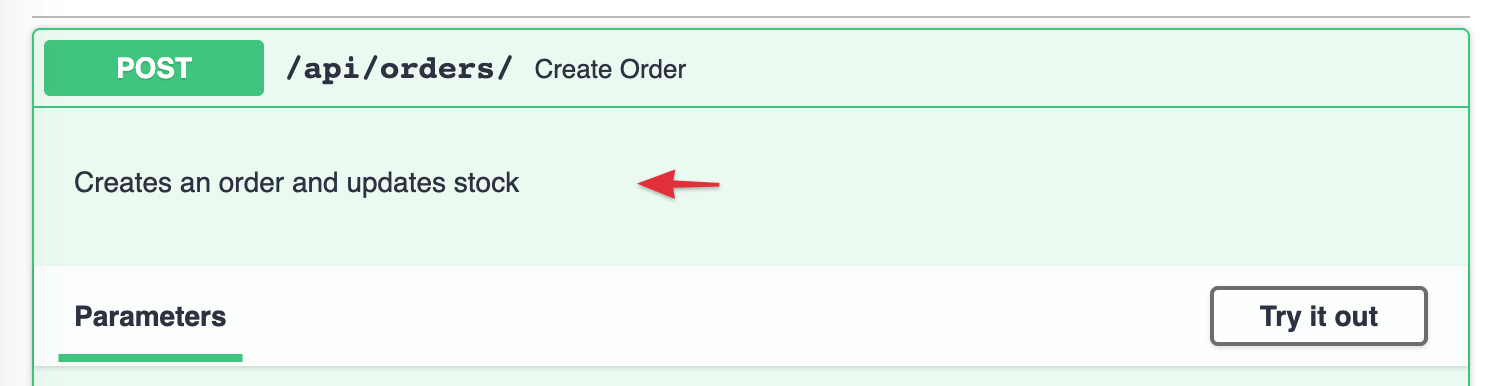
When you need to provide a long, multi-line description, you can use Python docstrings for the function definition:
@api.post("/orders/")
def create_order(request, order: Order):
    """
    To create an order please provide:
     - **first_name**
     - **last_name**
     - and **list of Items** *(product + amount)*
    """
    return {"success": True}
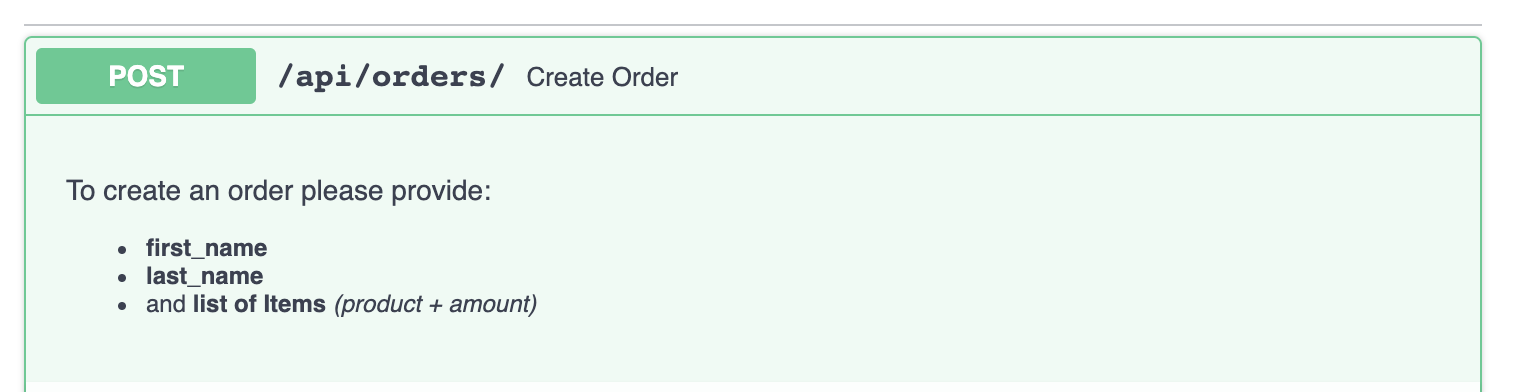
The operation_id argument
OpenAPI's operationId is an optional, unique string used to identify an operation. If provided, these IDs must be unique across all operations described in your API.
By default, Django Ninja sets it to module name + function name.
If you want to set it for each operation individually, you can use the operation_id argument:
...
@api.post("/tasks", operation_id="create_task")
def new_task(request):
    ...
If you want to override the global behavior, you can subclass the NinjaAPI instance and override the get_openapi_operation_id method.
It will be called for every operation you define, so you can set your custom naming logic this way:
from ninja import NinjaAPI

class MySuperApi(NinjaAPI):

    def get_openapi_operation_id(self, operation):
        # here you can access operation ( .path , .view_func, etc)
        return ...

api = MySuperApi()

@api.get(...)
...
The deprecated argument
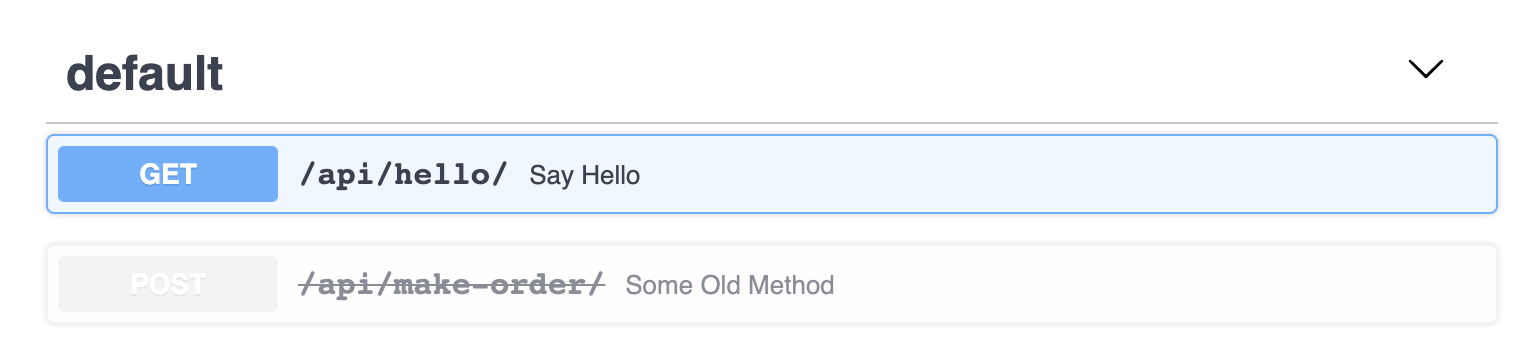
Mark an operation as deprecated without removing it by using the deprecated argument:
@api.post("/make-order/", deprecated=True)
def some_old_method(request, order: str):
    return {"success": True}
It will be marked as deprecated in the JSON schema as well as in the interactive OpenAPI documentation:
The include_in_schema argument
If you need to include/exclude certain operations from the OpenAPI schema, you can use the include_in_schema argument:
@api.post("/hidden", include_in_schema=False)
def some_hidden_operation(request):
    pass
The openapi_extra argument
You can customize your OpenAPI schema for a specific endpoint (see OpenAPI customization options for details)
# You can set requestBody from openapi_extra
@api.get(
    "/tasks",
    openapi_extra={
        "requestBody": {
            "content": {
                "application/json": {
                    "schema": {
                        "required": ["email"],
                        "type": "object",
                        "properties": {
                            "name": {"type": "string"},
                            "phone": {"type": "number"},
                            "email": {"type": "string"},
                        },
                    }
                }
            },
            "required": True,
        }
    },
)
def some_operation(request):
    pass

# You can add additional responses to the automatically generated schema
@api.post(
    "/tasks",
    openapi_extra={
        "responses": {
            400: {
                "description": "Error Response",
            },
            404: {
                "description": "Not Found Response",
            },
        },
    },
)
def some_operation_2(request):
    pass
Response output options
There are a few arguments that let you adjust the output of the response:
by_alias
Whether field aliases should be used as keys in the response (default is False).
exclude_unset
Whether fields that were not set when creating the schema and have their default value should be excluded from the response (default is False).
exclude_defaults
Whether fields that are equal to their default value (regardless of whether they were set) should be excluded from the response (default is False).
exclude_none
Whether fields that are equal to None should be excluded from the response (default is False).
url_name
Allows you to set the API endpoint URL name (using Django's URL name reversing)
@api.post("/tasks", url_name='tasks')
def some_operation(request):
    pass

# then you can get the url with

reverse('api-1.0.0:tasks')
For more details, see the Reversing URLs guide.
Specify servers
If you want to specify one or multiple servers for the OpenAPI specification, you can use servers when initializing the NinjaAPI instance:
from ninja import NinjaAPI

api = NinjaAPI(
        servers=[
            {"url": "https://stag.example.com", "description": "Staging env"},
            {"url": "https://prod.example.com", "description": "Production env"},
        ]
)


Comments
本文总阅读量次