Request Body
The request body is typically used with "create" and "update" operations (POST, PUT, PATCH). For example, when creating a resource with POST or PUT, the request body usually contains a representation of the resource to be created.
To declare a request body, you need to use Django Ninja's Schema.
Note
Under the hood, Django Ninja leverages all the power and features of the Pydantic Model.
The alias Schema was chosen to avoid code confusion when working with Django models, since Pydantic's model class is named Model by default, which conflicts with Django's Model class.
Importing Schema
First, you need to import Schema from ninja:
from typing import Optional
from ninja import Schema


class Item(Schema):
    name: str
    description: Optional[str] = None
    price: float
    quantity: int


@api.post("/items")
def create(request, item: Item):
    return item
Creating Your Data Model
Then declare your data model as a class that inherits from Schema.
Use standard Python types for all attributes:
from typing import Optional
from ninja import Schema


class Item(Schema):
    name: str
    description: Optional[str] = None
    price: float
    quantity: int


@api.post("/items")
def create(request, item: Item):
    return item
Note: if you set the default value of an attribute to None, it becomes optional in the request body. For example, the model above declares a JSON "object" (or Python dict) like this:
{
    "name": "Katana",
    "description": "An optional description",
    "price": 299.00,
    "quantity": 10
}
...since description is optional (its default value is None), this JSON "object" will also be valid:
{
    "name": "Katana",
    "price": 299.00,
    "quantity": 10
}
Declaring It as a Parameter
To add it to your path operation, declare it the same way you declare path and query parameters:
from typing import Optional
from ninja import Schema


class Item(Schema):
    name: str
    description: Optional[str] = None
    price: float
    quantity: int


@api.post("/items")
def create(request, item: Item):
    return item
... and declare its type as the Item model you created.
Result
With just that Python type declaration, Django Ninja will:
- Read the request body as JSON.
- Convert to the appropriate types (if needed).
- Validate the data.
- If the data is invalid, it will return a friendly and meaningful error that precisely indicates the location and content of the erroneous data.
- Provide you with the received data in the parameter
item.- Since you declared its type as
Itemin the function, you will also get editor support (autocomplete, etc.) for all attributes and their types.
- Since you declared its type as
- Generate JSON Schema definitions for your model, which you can also use anywhere you need them in your project.
- These schemas will become part of the generated OpenAPI schema and will be used by the automatic documentation UI.
Automatic Documentation
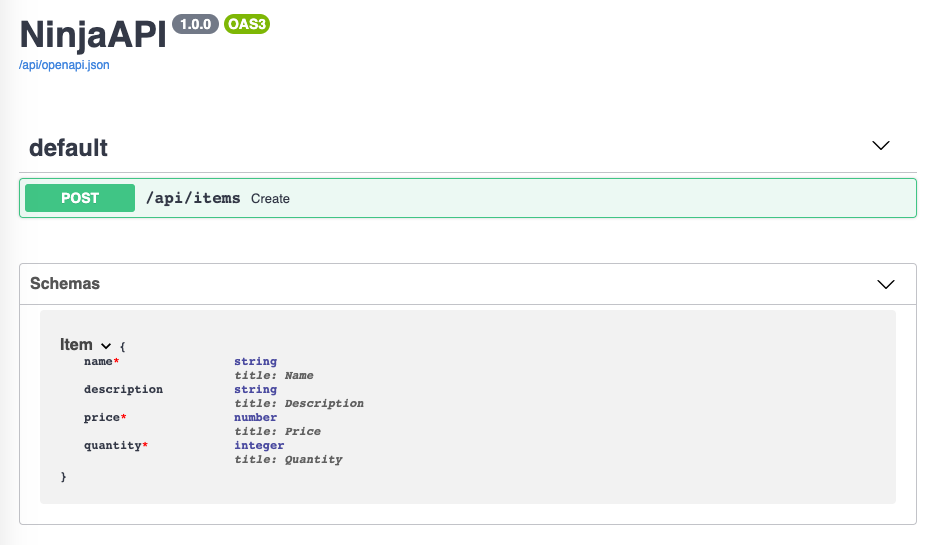
The JSON Schemas of your models will become part of your generated OpenAPI schema and will be displayed in the interactive API documentation:
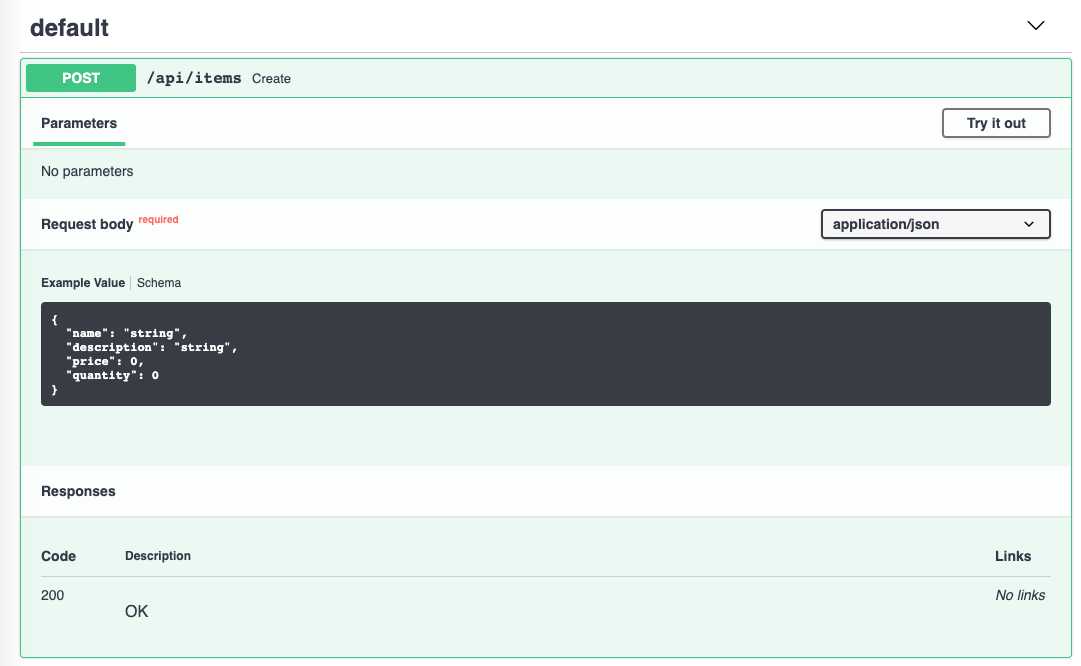
...and they will also be used in the API documentation for every path operation that requires them:
Editor Support
In your editor, inside your function, you will get ubiquitous type hints and completion (this will not happen if you use a dict instead of a Schema object):
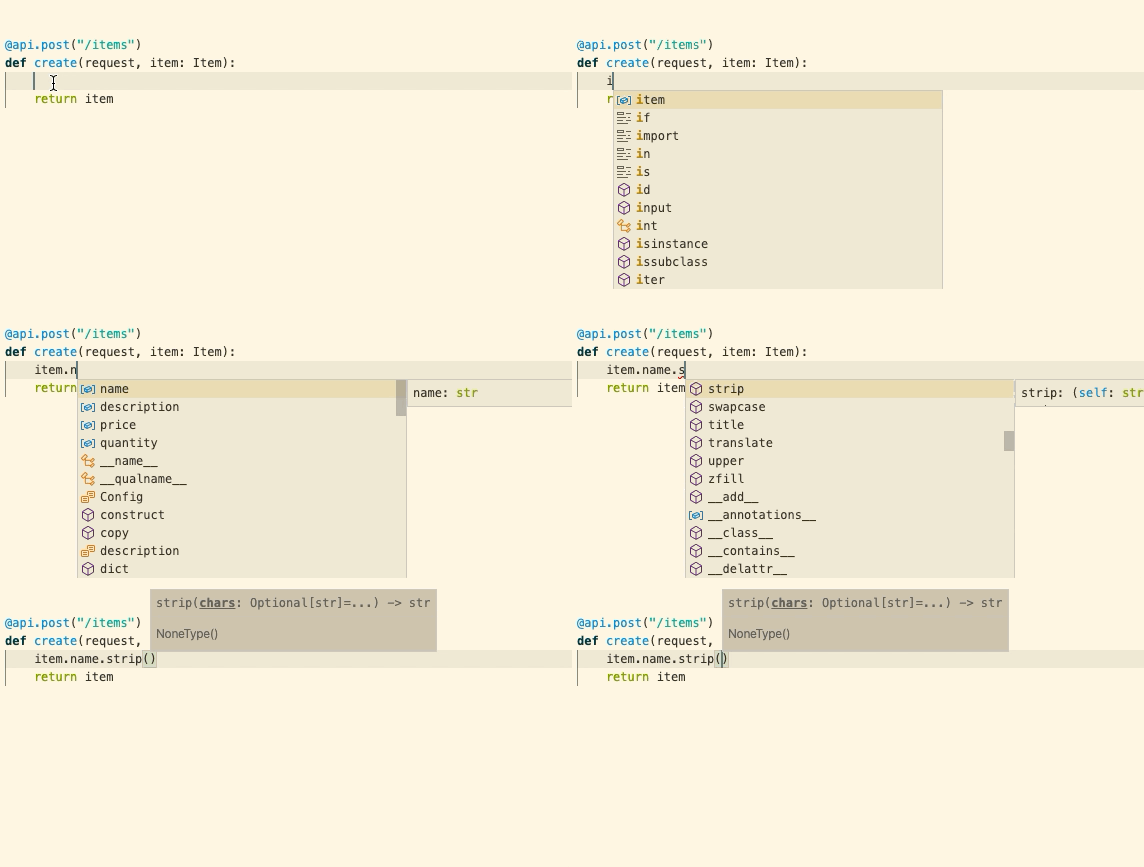
The previous screenshots use Visual Studio Code.
You will get the same editor support in PyCharm and most other Python editors.
Request Body + Path Parameters
You can declare path parameters and request body at the same time.
Django Ninja will recognize that function parameters matching path parameters should be taken from the path, while function parameters declared with Schema should be taken from the request body.
from ninja import Schema


class Item(Schema):
    name: str
    description: str = None
    price: float
    quantity: int


@api.put("/items/{item_id}")
def update(request, item_id: int, item: Item):
    return {"item_id": item_id, "item": item.dict()}
Request Body + Path + Query Parameters
You can also declare request body, path, and query parameters at the same time.
Django Ninja will recognize each parameter and take the data from the correct location.
from ninja import Schema


class Item(Schema):
    name: str
    description: str = None
    price: float
    quantity: int


@api.post("/items/{item_id}")
def update(request, item_id: int, item: Item, q: str):
    return {"item_id": item_id, "item": item.dict(), "q": q}
Function parameters will be recognized as follows:
-
If the parameter is also declared in the path, it will be used as a path parameter.
-
If the parameter is a single type (such as
int,float,str,bool, etc.), it will be interpreted as a query parameter. - If the parameter is declared as a Schema (or Pydantic
BaseModel) type, it will be interpreted as a request body.
Done
Continue to the next chapter! Form Data

Comments
本文总阅读量次